For a project I’m working on, I needed a way to copy Intune configurations from one tenant to another one. I mainly wanted to copy things like configuration profiles, compliance policies and app protection policies. When setting up a brand new tenant in Intune, these policies and configurations can be quite tedious to configure if you do it manually.
I found this great resource on GitHub: IntuneBackupAndRestore. It had a lot of positive feedback, so I decided to give it a try. I installed the module, updated it and then installed the Microsoft Graph Intune module:
Install-Module -Name IntuneBackupAndRestore
Update-Module -Name IntuneBackupAndRestore
Install-Module -Name Microsoft.Graph.Intune
Then I tried logging in to graph with the Connect-MSGraph command, but was met with this error:
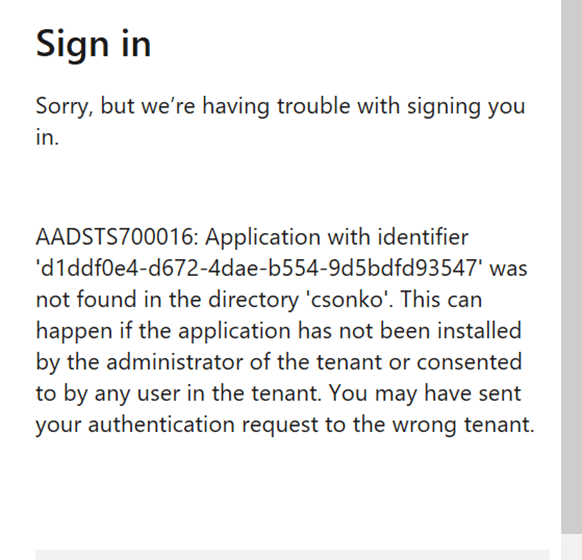
I checked the reported Issues on the GitHub page for the
IntuneBackupAndRestore project and found this helpful reply to someone experiencing the same problem as me:
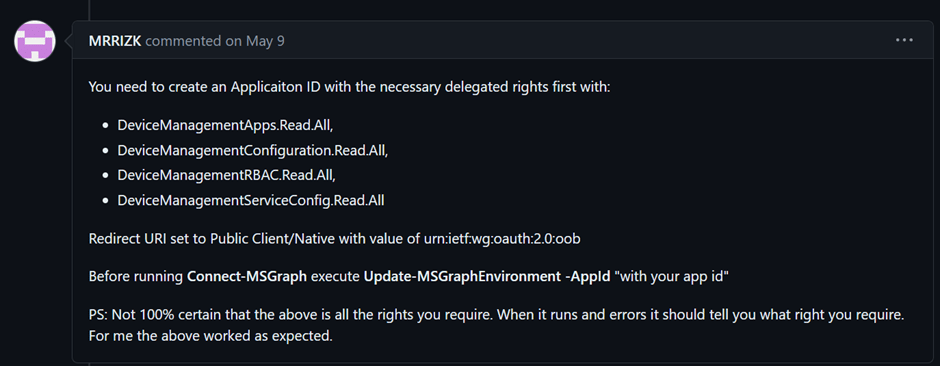
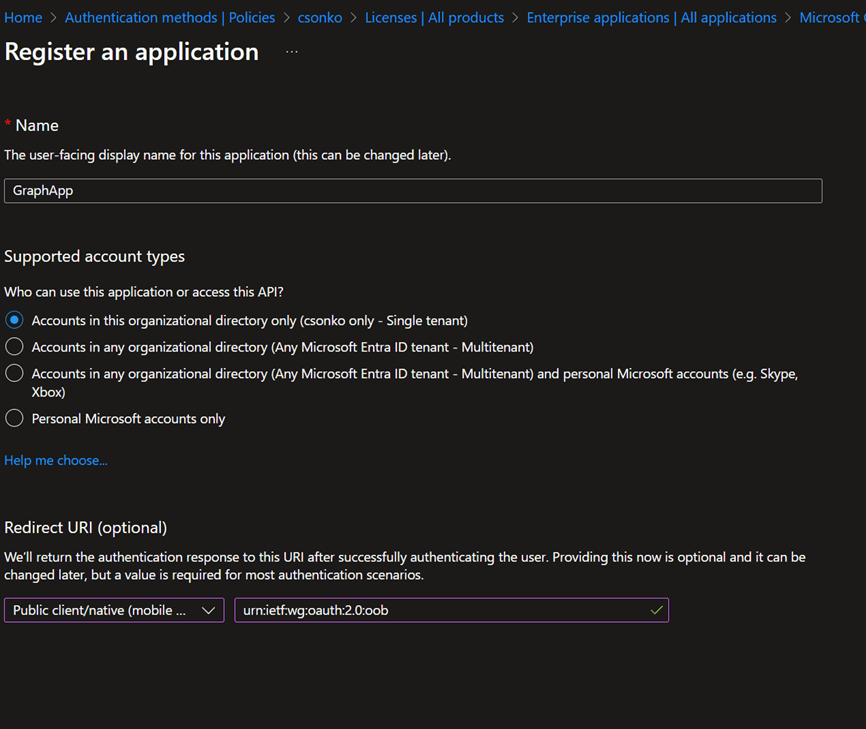
To follow these recommendations, I created an Enterprise application in my tenant, gave it a random name, and a redirect URI of type Public client/native with the value urn:ietf:wg:oauth:2.0:oob
After this I went to my App registrations, selected my app and went to API permissions. Here I added these permissions:
DeviceManagementApps.ReadWrite.All
DeviceManagementConfiguration.ReadWrite.All
DeviceManagementRBAC.ReadWrite.All
DeviceManagementServiceConfig.ReadWrite.All
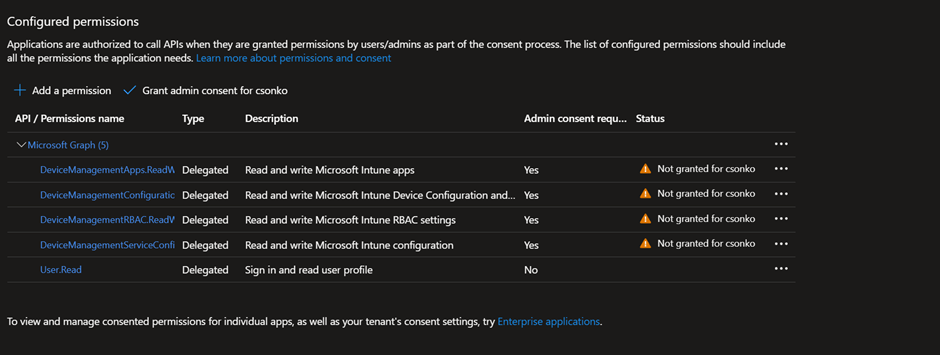
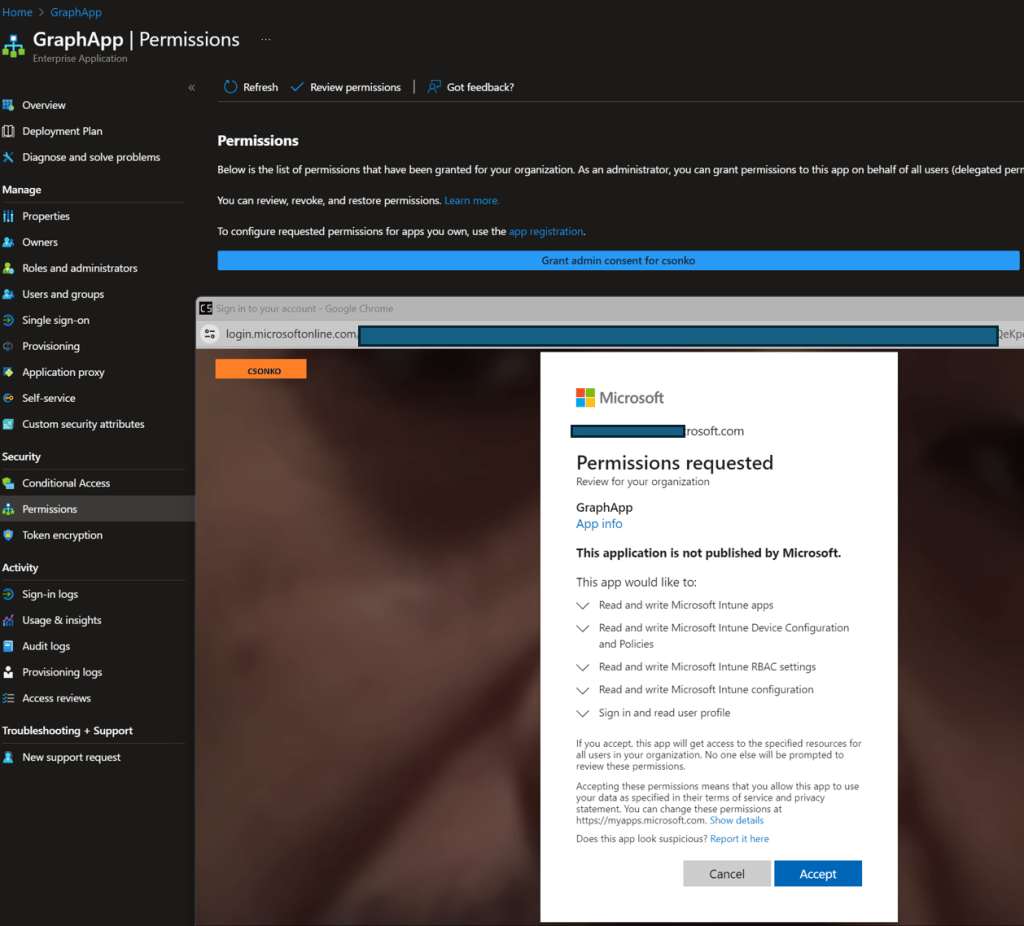
I then went back to the Enterprise application and granted admin consent:
Then I went to Properties and copied the application ID:
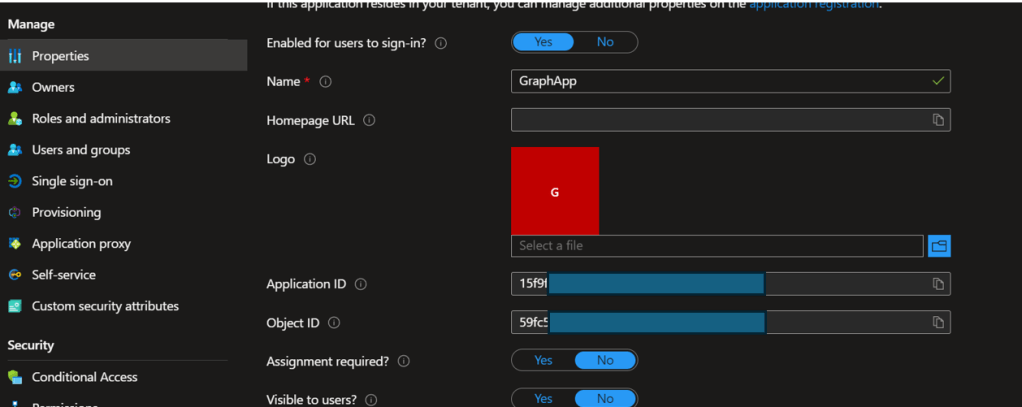
Lastly, I used the command Update-MSGraphEnvironment -AppId “my app id” and was then able to log in with Connect-MSGraph.
After this the Intune backup module has worked without issues for backup and restore operations in my Intune environment. On the GitHub page, backup and restore commands are outlined in the Readme.
I hope can be of help to anyone in a similar situation.
 Chris Sonko tech blog
Leave a comment